Git & worktrees
Git and worktrees, next to your agents
Review diffs, changes, branches, history, worktrees and pull-request workflows without leaving the window where your agents work.
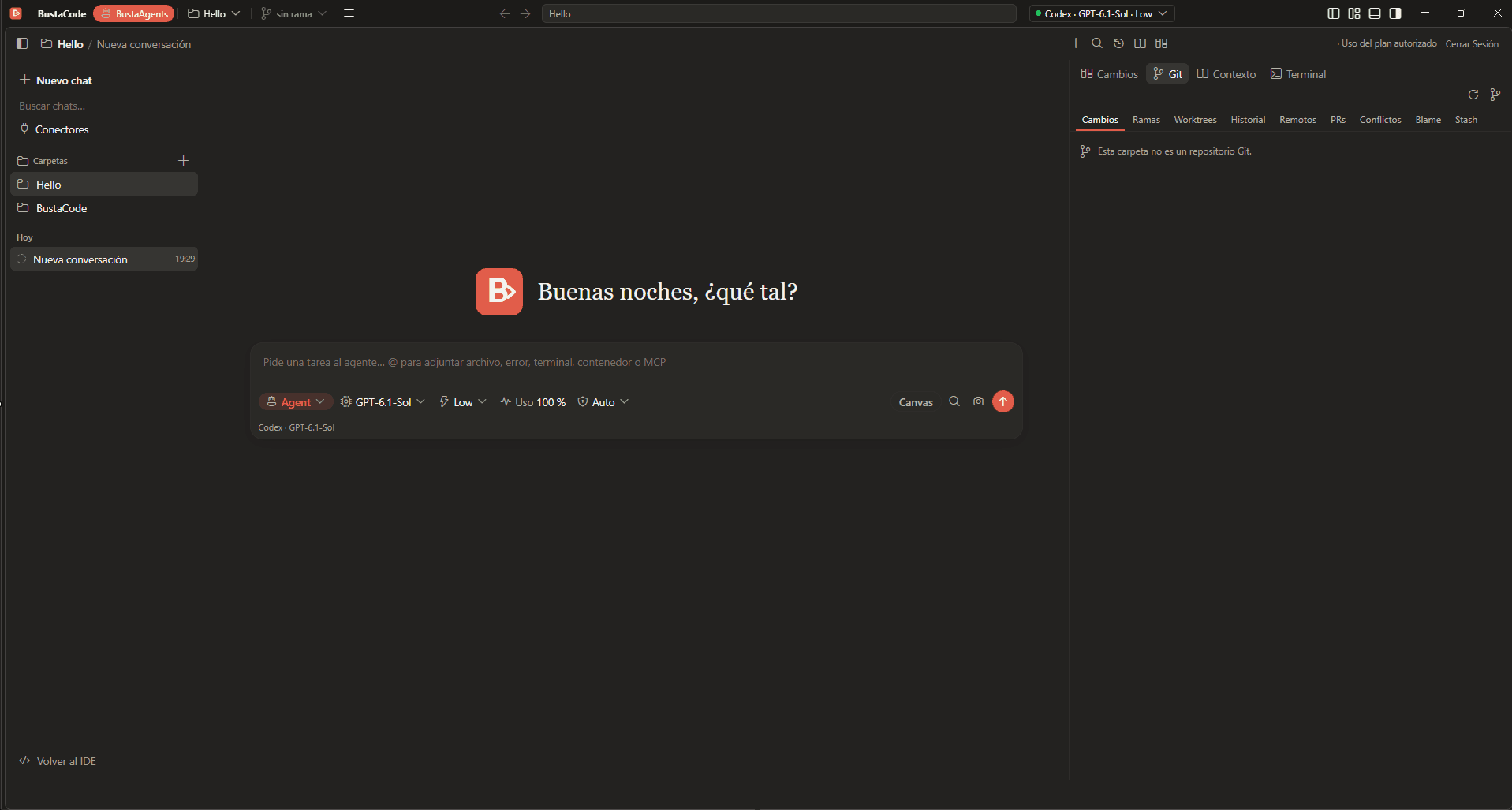
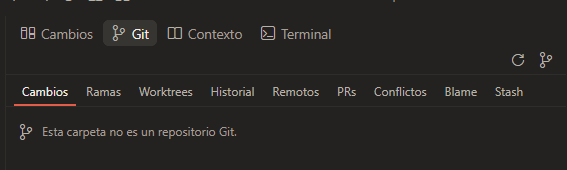
One Git panel, nine views
The Git panel groups its tools in tabs:
- Changes
- Branches
- Worktrees
- History
- Remotes
- PRs
- Conflicts
- Blame
- Stash
In the IDE and in BustaAgents
- IDE mode: the editor’s Git tools plus a Git tab in the side panel, next to BustaAI, MCPs, Docker, DevOps, Graph and Architecture.
- BustaAgents mode: a Git tab in the right-hand panel, alongside Changes, Context and Terminal, so you can review what an agent changed without leaving the conversation.

Worktrees and parallel work
- BustaCode lists worktrees in a dedicated tab of its Git panel.
- BustaAI can run multiple agent conversations in parallel tabs, each with its own status and history.
Git state as agent context
- BustaAI’s project memory includes the Git state, next to goals, decisions, instructions and relevant files.
- BustaCode v0.12.25 refined Git selection restoration when switching between the IDE and BustaAgents layouts.
Related features
All features- BustaAgents An agent-focused view of the same window: chat, track work and review changes, then return to the editor without losing the conversation.
- BustaAI Unified chat with Ask, Plan and Agent modes for Cursor, Codex and the OpenAI API, plus project memory and parallel conversations.
- Docker, DevOps & SSH Containers and logs, plus Linux hosts over SSH: CPU, memory, services and network ports.
Get started
Try it in BustaCode
Free to download for Windows x64. Provider accounts, API keys, subscriptions and usage limits are separate.
v0.12.27 · Windows x64 · 188 MB installer · Changelog
- 1
Download the latest Windows installer.
- 2
Install BustaCode and open a project.
- 3
Open BustaAI, connect a supported provider and switch between BustaCode and BustaAgents.