Features
Everything BustaCode brings to one window
A complete development environment with BustaAI, BustaAgents, Git, Docker, DevOps, Graph and Architecture — all in one place.
Features
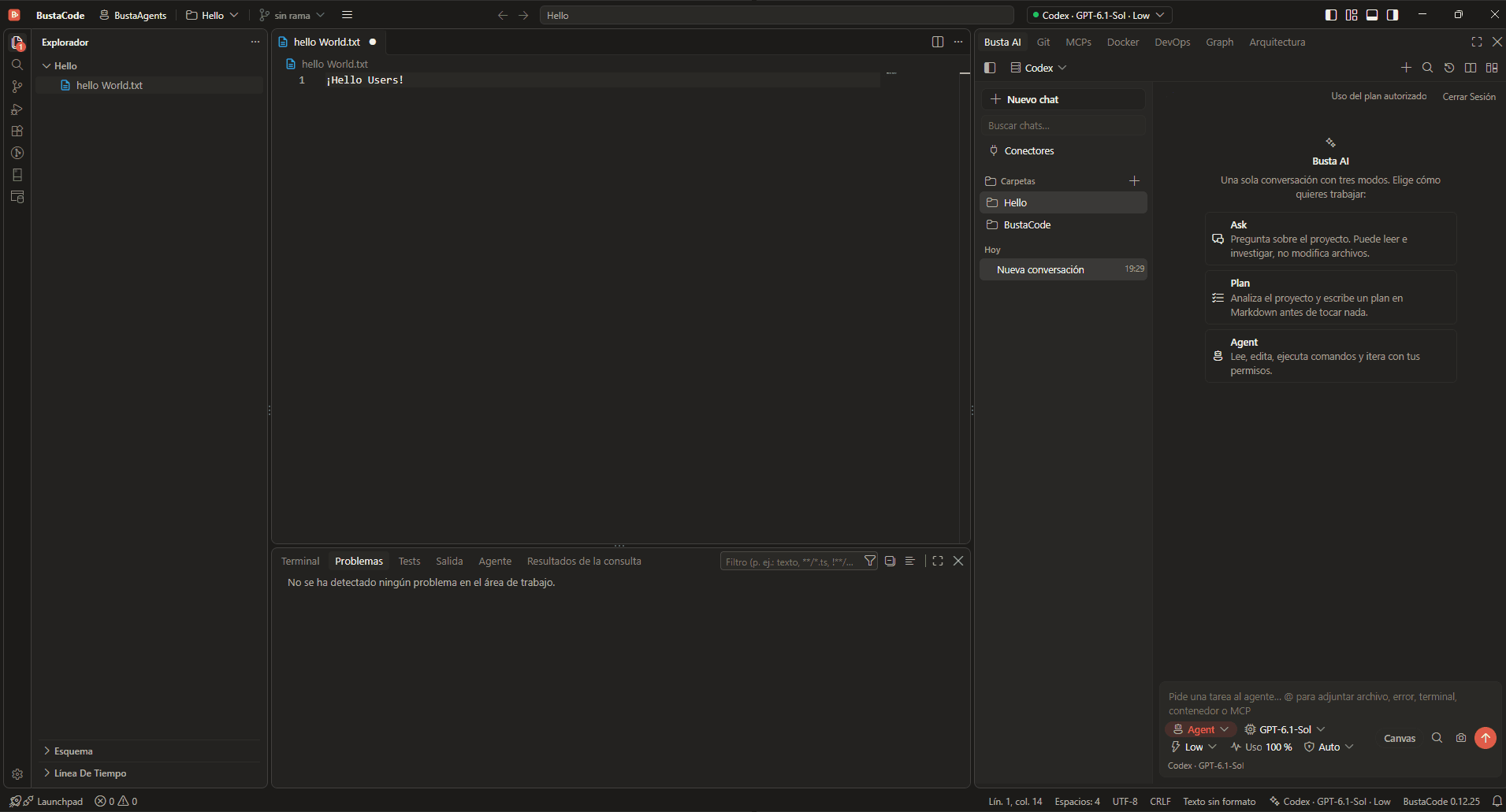
- BustaAI Unified chat with Ask, Plan and Agent modes for Cursor, Codex and the OpenAI API, plus project memory and parallel conversations.
- BustaAgents An agent-focused view of the same window: chat, track work and review changes, then return to the editor without losing the conversation.
- Git & worktrees Diffs, changes, branches, history, worktrees and pull-request workflows, in both the IDE and BustaAgents.
- MCP, tools & extensions Project-level MCP through a local gateway with access controls, tool approvals, and Open VSX / VSIX extensions.
- Docker, DevOps & SSH Containers and logs, plus Linux hosts over SSH: CPU, memory, services and network ports.
- Busta Graph & Architecture Code relationships, dependencies, API routes, models, DAOs and tables, plus architecture diagrams made with Archify.
Screenshot
What’s inside
The full feature list from the BustaCode README, with the page that covers each one.
| Feature | What you get | Page |
|---|---|---|
| BustaAI | Unified chat, Ask / Plan / Agent modes and a consistent interface across supported providers. | BustaAI |
| AI providers | Cursor through its official CLI and ACP, Codex through its app-server, and OpenAI API integration. Each uses its own execution engine. | BustaAI |
| Project memory | Structured, editable context with project goals, decisions, instructions, relevant files and Git state. | BustaAI |
| Parallel conversations | Multiple agent chats in tabs, with separate status indicators and conversation history. | BustaAI |
| BustaAgents | Agent-focused mode of the same window: chat with agents, track their work and review changes. | BustaAgents |
| Git & worktrees | Review diffs, changes, branches, history, worktrees and pull-request workflows. | Git & worktrees |
| MCP & tools | Project-level MCP integrations through a local gateway with access controls. | MCP, tools & extensions |
| Docker & DevOps | Explore containers and logs, and inspect Linux hosts over SSH: CPU, memory, services and network ports. | Docker, DevOps & SSH |
| Busta Graph | Explore code relationships, dependencies, API routes, data models, DAOs and database tables. | Busta Graph & Architecture |
| Architecture | View project architecture diagrams created with agent assistance and Archify. | Busta Graph & Architecture |
| Extensions | Code - OSS extension compatibility with the Open VSX registry and manual VSIX installation. | MCP, tools & extensions |
Get started
Try it in BustaCode
Free to download for Windows x64. Provider accounts, API keys, subscriptions and usage limits are separate.
v0.12.27 · Windows x64 · 188 MB installer · Changelog
- 1
Download the latest Windows installer.
- 2
Install BustaCode and open a project.
- 3
Open BustaAI, connect a supported provider and switch between BustaCode and BustaAgents.