BustaAgents
BustaAgents: an agent-first view of the same IDE
Hide the traditional IDE and give BustaAI the spotlight. Chat with agents, track their work and review changes — then switch back to the editor at any time without changing applications or losing the active conversation.
Two modes. The same BustaAI.
-
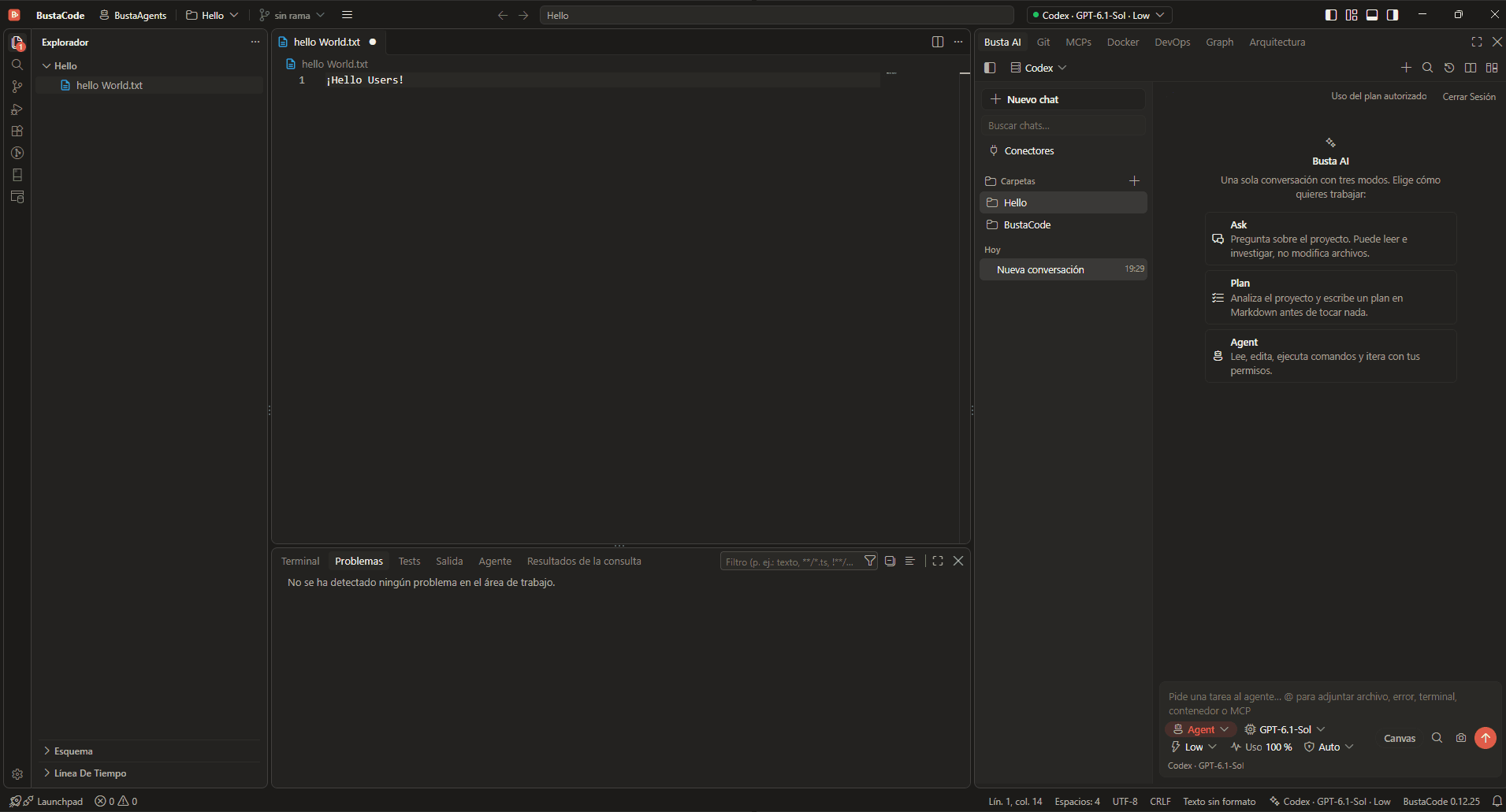
BustaCode — Full IDE
Your editor, terminal, debugger, extensions, Git tools and BustaAI in the same workspace.
-
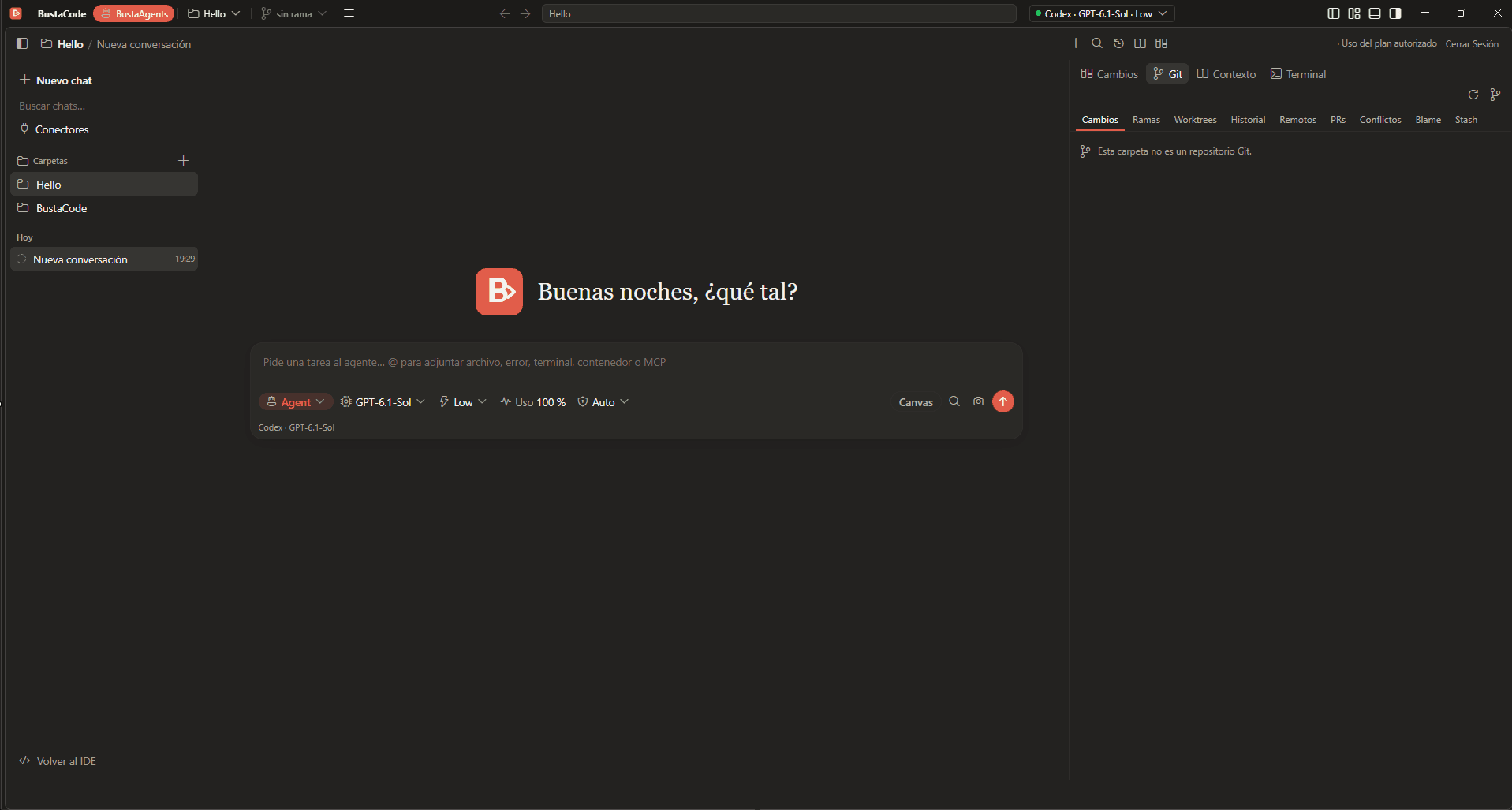
BustaAgents — Agent-focused mode
The traditional editor layout steps aside so you can focus on agent conversations, tasks and changes.
BustaAgents is not a separate application. It is a different view of the same BustaCode window, projects and conversations.
Switching between modes
- The BustaAgents button lives in the title bar, at the top left of the window.
- In BustaAgents, “Back to IDE” at the bottom left returns to the full editor.
- You stay in the same window with the same projects, and the active conversation is kept.
What’s on screen
-
Chats
New chat, chat search, folders and today’s conversations on the left.
-
Conversation
The agent chat and the composer take the centre of the window.
-
Side panel
Changes, Git, Context and Terminal tabs on the right, to follow and review what the agent does.
Recent improvements
From the BustaCode v0.12.25 release notes, which focus on the BustaAgents experience:
- Improved the BustaAgents workspace and dock experience.
- Made the IDE and BustaAgents modes share a consistent layout preference across folders.
- Improved folder access and integrated terminal behavior in BustaAgents.
- Refined Git selection restoration when switching layouts.
Frequently asked questions
BustaCode vs. BustaAgents: what’s the difference?
They are two modes of the same application. The IDE includes editor, debugger and terminal. BustaAgents hides the traditional editor layout so you can focus on agent conversations, tasks and changes, then switch back without losing your session.
Is BustaAgents a separate app?
No. BustaAgents is a different view of the same BustaCode window, projects and conversations.
Do I lose the conversation when I switch back to the editor?
No. You can switch back to the editor at any time without changing applications or losing the active conversation.
Related features
All features- BustaAI Unified chat with Ask, Plan and Agent modes for Cursor, Codex and the OpenAI API, plus project memory and parallel conversations.
- Git & worktrees Diffs, changes, branches, history, worktrees and pull-request workflows, in both the IDE and BustaAgents.
- Docker, DevOps & SSH Containers and logs, plus Linux hosts over SSH: CPU, memory, services and network ports.
Get started
Try it in BustaCode
Free to download for Windows x64. Provider accounts, API keys, subscriptions and usage limits are separate.
v0.12.27 · Windows x64 · 188 MB installer · Changelog
- 1
Download the latest Windows installer.
- 2
Install BustaCode and open a project.
- 3
Open BustaAI, connect a supported provider and switch between BustaCode and BustaAgents.